
Product image for Fluke FVF-SC2 CD ROM Software Form and Cable
Image thumbnail 0
Image thumbnail 1

Email

Fluke FVF-SC2 CD ROM Software Form and Cable

Manufacturer: Fluke | Catalog # FVF-SC2 | Cooper Electric Part # 320784

$357.88 /ea
ea
Log in or register to view your price, purchase history, and more!
Out of stock, please contact your sales representative for availability, pricing and lead times
Forms software with cable, 2 number of standard forms, 1 number of multiple meters whose data can be viewed simultaneously, Concurrently running instances of FlukeView forms allowed.

Technical Information

Applications
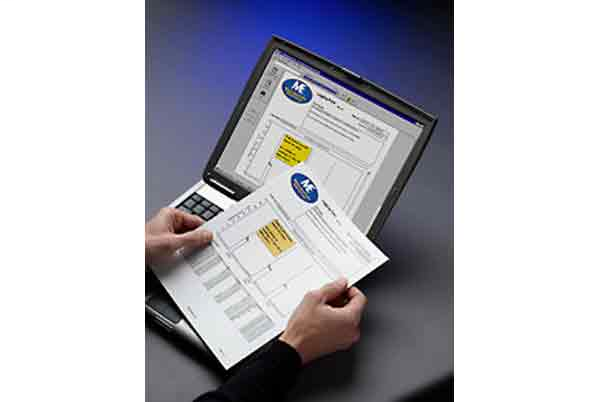
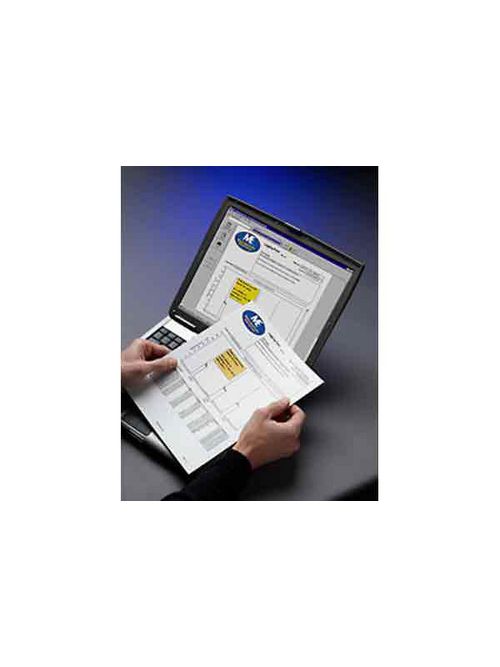
Software enables you to document, store and analyze individual readings or series of measurements from your handheld test tools, then convert them into professional-looking documents
Type
Software

Manufacturer Information

Brand
Fluke Corporation

General Product Info

12-Digit UPC
095969090483
GTiN
00095969090483
Product UPC
09596909048
Weight
545 g
Features
  • FlukeView® Forms communicates with supported tools fast and easily via an infrared serial interface. The software will automatically recognize your meter and transfer the data without any configuration.
  • You can instantly review and compare data from up to 6 different meters on the same document - providing analysis capabilities that a meter alone can't provide.
  • Or use the FlukeView® Forms Plus Designer to customize your reports or add your company logo.
  • FlukeView® Forms comes with an array of standard analysis and reporting forms that get you started on displaying your data in tables, graphs or helpful diagrams. You can leave notes on the forms to draw attention to a particular event.
  • Share or store your data with co-workers or clients print forms, export to other software programs, or have co-workers and clients down load the free FlukeView® Demo/Reader to view and interact with your captured data.
  • With FlukeView® Forms documenting software, the logging capabilities of handheld test equipment can be used to solve tough problems. You can download the readings from meters into FlukeView® Forms to spot trends and document measurement data.
Using FlukeView Forms with Fluke 1653B Installation tester
  • Up to 500 test results can be stored in the Fluke 1653B installation tester. The data stored for each measurement consists of the test function, user selectable test conditions and unique references. The results can be uploaded for preparing professional reports. These reports can easily be customized to suit individual requirements as well as compliance with local regulations. Standard formats as well as localized forms for Germany (ZVEH), Austria (VE) and Switzerland (electrosuisse, gem. NIV) are also available
  • Not supported in FlukeView Forms Basic
FlukeView Forms Compatibility Chart
  • Obsolete
  • * For all instruments listed in table
Using FlukeView Forms with Multimeters, Thermometers, MegOhmeters and ProcessMeter
  • For the meters in the table below, you can measure and store hundreds of readings to the meter's internal memory, and then later download the information to FlukeView® Forms. For meters that do not have internal memory, such as the Fluke-187, Fluke-789 and the Fluke-45, you can take interactive readings while connected to your PC with FlukeView® Forms.
  • FlukeView® Forms also logs events to make analyzing your data easier. This unique method of data recording provides more detailed readings when the input signal changes significantly. The amount of signal change that will trigger an event can be adjusted to fit your specific test situation. The minimum, maximum and average of readings are recorded for each event. Logging sessions can also be configured so that data will be recorded over specific intervals (e.g., every 5 minutes or 30 seconds).
Expand the power of the world's most rugged, accurate handheld test tools with FlukeView Forms Documenting Software.
  • To address the increasing demands for reporting and documentation, Fluke presents FlukeView Forms documenting software. FlukeView Forms increases the power of your Fluke tool by enabling you to document, store and analyze individual readings or series of measurements, then convert them into professional-looking documents.
  • Several versions of the product are available, depending upon the type of cable needed to download data from your instrument and depending upon the data reporting capability you need. FlukeView Forms offers two levels of capability: FlukeView Forms Basic, and FlukeView Forms plus Designer. FlukeView Forms Basic can be used alone to download measurement data and create reports that can be saved and printed. FlukeView Forms plus Designer allows a user to edit an existing form or create a new form to customize the report to individual needs. A common edit might add a company logo and title. See the [Features] tab on this page for more information
Compatible Products
  • Fluke 287
  • Fluke 289
  • Fluke 289/IMSK Kit


Compare