Access items you need most without navigating through our website.

Create multiple product lists tailored to projects, locations, or reference.

Quickly view product details, price, availability, spec sheets, and more!

Access Product Lists on our website and mobile app.
Create lists of your favorite products and
instantly add them to your shopping cart.
CREATE A NEW PRODUCT LIST
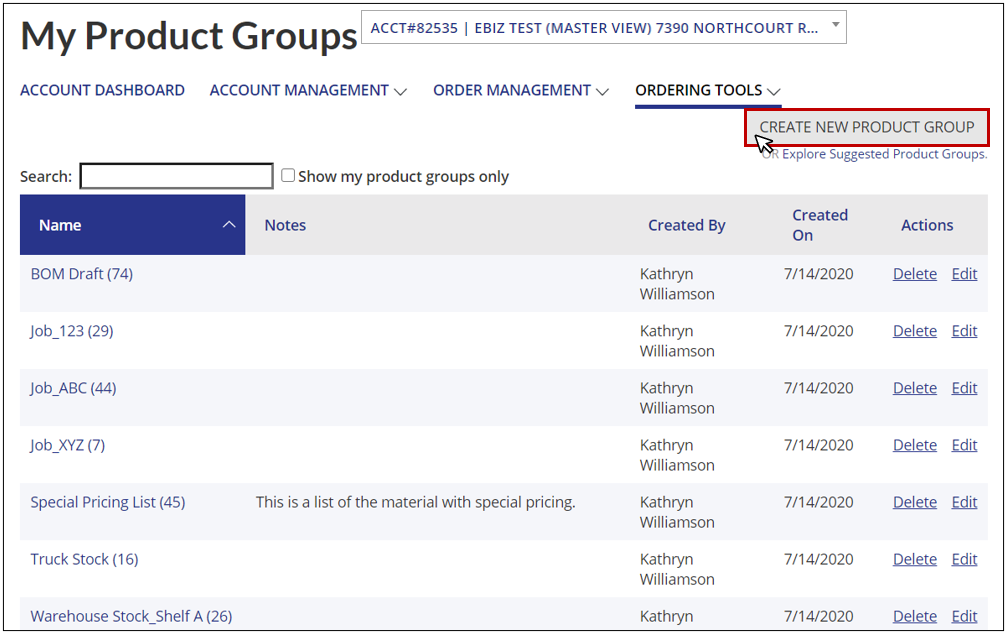
Select Create a New Product List on a product detail page, the My Product Lists page, or within your shopping cart.
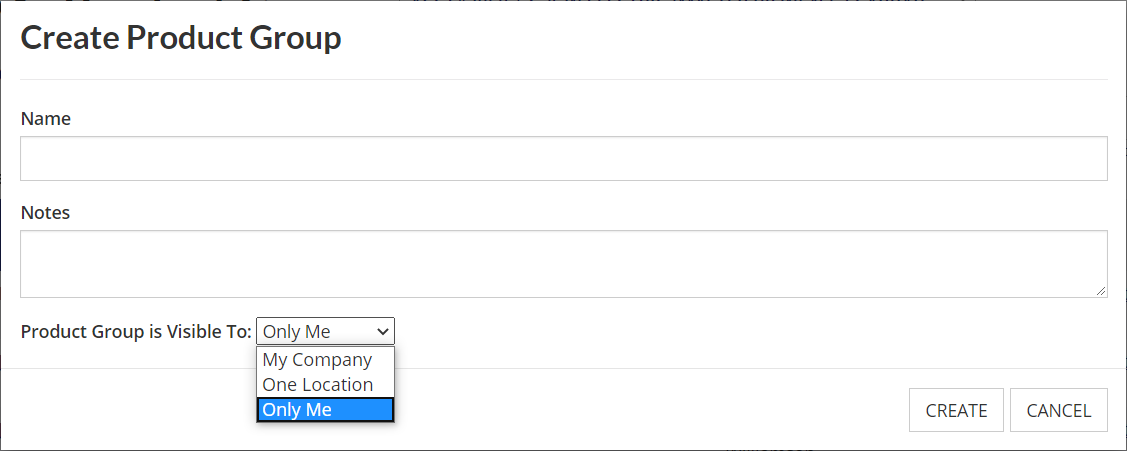
Then, type in a name, add notes, and choose who you want your Product List to be visible to.
- Only Me – Create a private list that only the logged-in user can access
- One Location – All users with access to the location chosen by the Product List creator can view
- My Company – All users who login to a company account can access this shared Product List
ADD PRODUCTS TO EXISTING LISTS
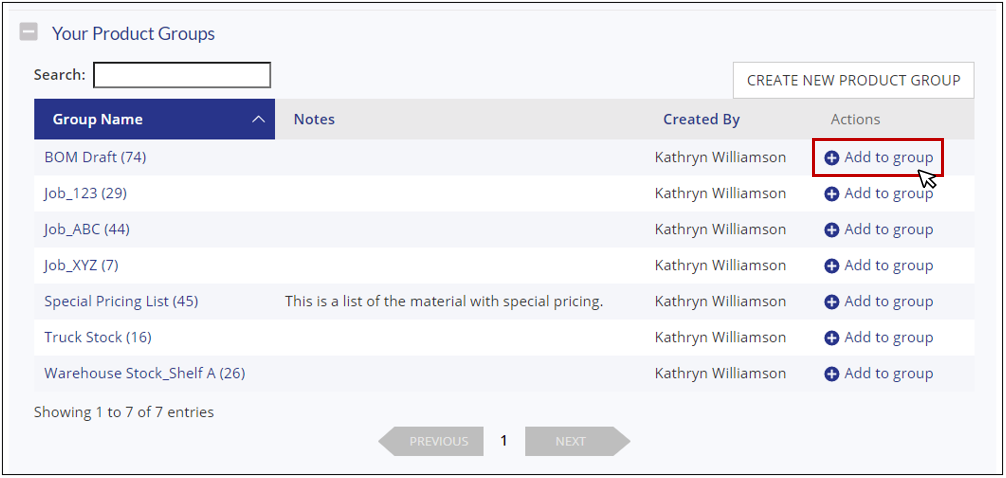
Items can be added to a Product List directly from the shopping cart, from a product detail page, or within a Product List detail page. Within a product detail page, select Your Product Lists. Then, depending on which List you'd like to add the product to, click on Add to list.
EDIT AN EXISTING PRODUCT LIST
To view your available Product Lists, select My Product Lists from the My Account dropdown found in the top right corner of any page.
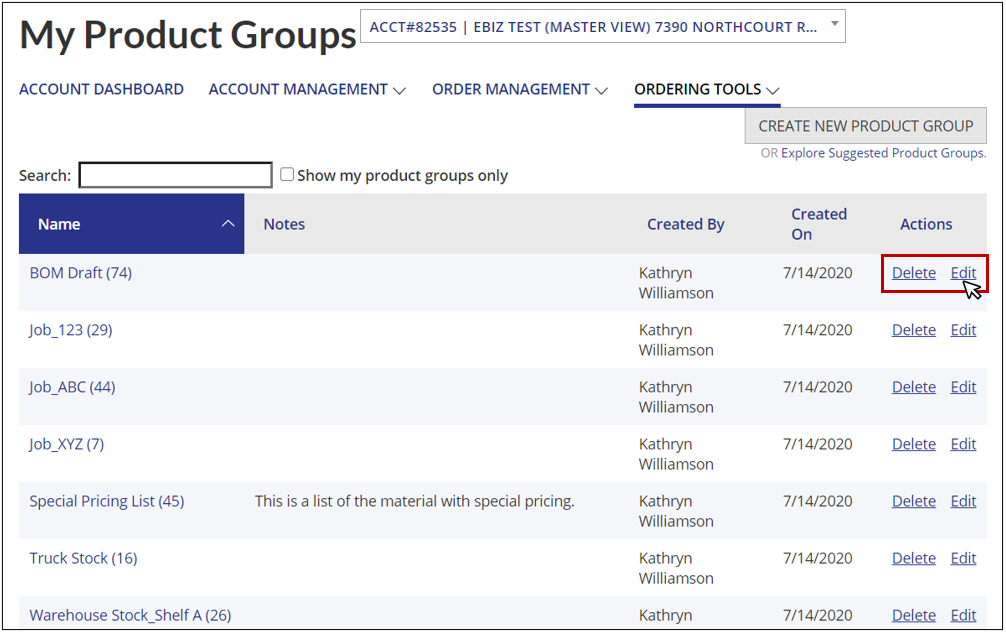
From the My Product Lists page, you can also sort your Product Lists by name, author, or date created and choose to delete or edit an existing Product List.
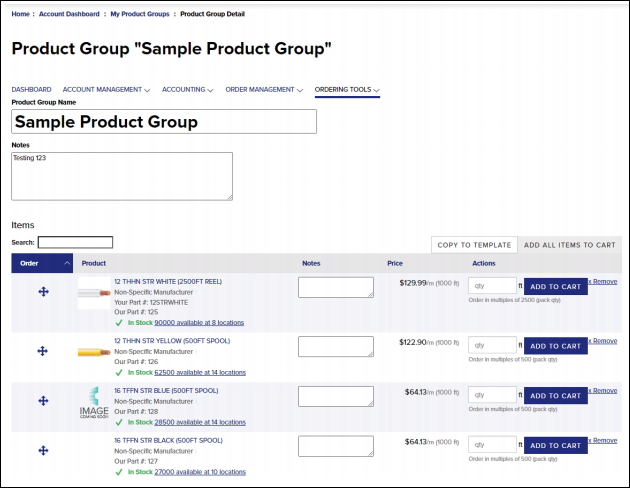
Within a Product List detail page, you can add or remove products, rename the Product List, add notes, and more.
Additionally, you can copy a Product List, or search for items within the Product List.
ADD ITEMS TO A CART FROM YOUR PRODUCT LISTS
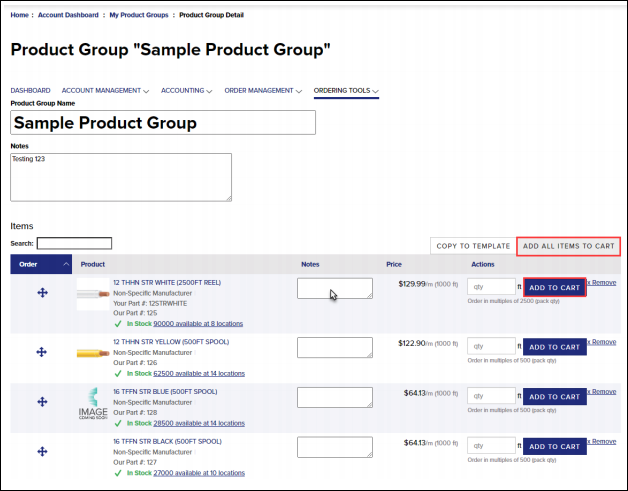
To add an entire list to your cart, select Add all Items to Cart from the top right of any Product List item list.
Important Note: The quantity shown on the list will transfer to your current shopping cart. If a quantity is not provided, the item will not be added to the cart.
Add individual items to your cart by selecting Add to Cart next to any product within a list.
When adding individual items, if a quantity is not entered, it will add the default minimum quantity to the cart.